
High-Risk Tech Bans: Why Countries Are Removing Some Cameras, Routers and Telecom Gear
High-Risk Tech Bans: Why Countries Are Removing Some Cameras, Routers and Telecom Gear
Connected devices are no longer simple hardware. Cameras, routers, telecom equipment and drones can collect data, connect to networks and become part of national-security debates.
Recent U.S. restrictions show that governments are paying closer attention to the equipment used in public safety, telecom networks, surveillance systems and critical infrastructure. The issue is not only price or performance; it is trust.
Why can a camera or router become a national-security issue?
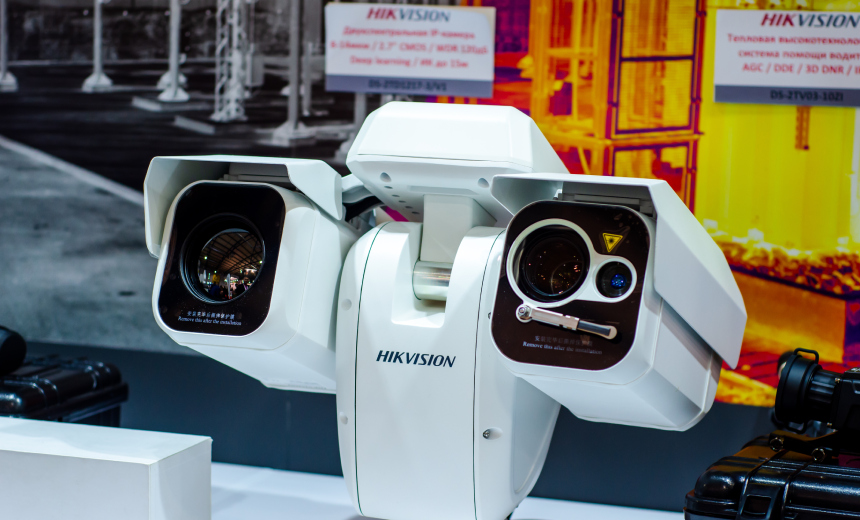
A connected camera is not only a lens. It may store footage, connect to cloud servers, receive software updates, communicate with mobile apps and sit inside sensitive locations such as offices, schools, ports, factories or government buildings.
A router is not only a box that gives internet. It controls network traffic. If a router is insecure, attackers may spy on data, redirect traffic, install malware or use the device as part of a larger attack.
Telecom equipment is even more sensitive because it helps carry communication at large scale. When such equipment is used in public safety or critical infrastructure, governments become more cautious about who built it, how it is updated and whether it can be trusted.
Simple explanation
Device security is like building security. You do not only ask whether the door is cheap. You ask who made the lock, who has the keys, whether it can be opened remotely and whether it protects important rooms.
A realistic example: cameras in a public transport station
Imagine a city installs hundreds of internet-connected cameras in bus stations and railway platforms. The cameras help with safety, crowd control and crime investigation.
But if the camera system has weak software, hidden access paths or unsafe cloud links, the same system can become a privacy and security problem. Attackers may view footage, disable cameras or use them as entry points into the network.
Risky device strategy
- Buy only based on low price.
- Ignore where software updates come from.
- Use default passwords and old firmware.
- Connect devices directly to sensitive networks.
- Keep using devices after security support ends.
Safer device strategy
- Check supplier trust and security history.
- Use strong passwords and multi-factor controls.
- Update firmware regularly.
- Separate cameras and IoT devices from core networks.
- Replace unsupported high-risk equipment.
Which technologies are often considered sensitive?
Why governments restrict some technology imports
Governments may restrict equipment when they believe the device could create national-security risk. This does not always mean every device has already been proven to spy on users. It often means authorities believe the risk is too serious for sensitive environments.
Reuters reported that the FCC’s expanded rules are connected to concerns about equipment used in public safety, government facility security and critical infrastructure surveillance. The restrictions expand earlier actions that began with newer models and now also affect some older models. :contentReference[oaicite:1]{index=1}
Reality check: Technology bans can also create cost, replacement and supply-chain challenges. Organizations may need time, money and technical support to replace equipment safely.
What this means for ordinary users
Most users do not manage national infrastructure, but the same lesson applies at home and in small businesses. Cheap connected devices can still create risk if they are poorly secured.
A home camera, Wi-Fi router, smart doorbell or DVR system should not be treated like a normal offline object. It is a small computer connected to the internet. That means it needs passwords, updates and careful settings.
What students should learn from this trend
Students often learn cybersecurity as password protection or hacking prevention. This topic shows a bigger idea: hardware, software, supply chains, national policy and infrastructure security are connected.
Future technology workers must understand that every connected device is part of a larger digital ecosystem. A camera, router or telecom box can become a cybersecurity risk if it is not designed, purchased, installed and maintained properly.
These ideas are useful for ICT presentations, Blogger posts, cybersecurity assignments or beginner technology portfolios.
Career opportunities connected to device security
Final thoughts
The latest restrictions on high-risk technology show that connected equipment is now part of national-security planning. Cameras, routers and telecom systems may look ordinary, but they can sit inside sensitive networks and collect important data.
For students and future technology workers, the lesson is clear: security is not only about software. It begins from the device, the supplier, the update system, the network design and the place where the equipment is used.
Today’s takeaway
In a connected world, trust is part of technology. A device is not safe just because it works; it is safe only when its supplier, software, access controls and updates can be trusted.
This article is based on Reuters reporting about the U.S. FCC expanding restrictions on imports of certain Chinese-made electronic equipment, including older models of telecommunications and video-surveillance equipment from companies such as Huawei, ZTE, Hytera, Hikvision and Dahua. The explanations, examples, student projects and career guidance are original educational analysis for this blog.
Source link:
https://www.reuters.com/world/asia-pacific/us-launches-new-chinese-tech-crackdown-will-ban-some-imports-2026-06-26/
Join the conversation